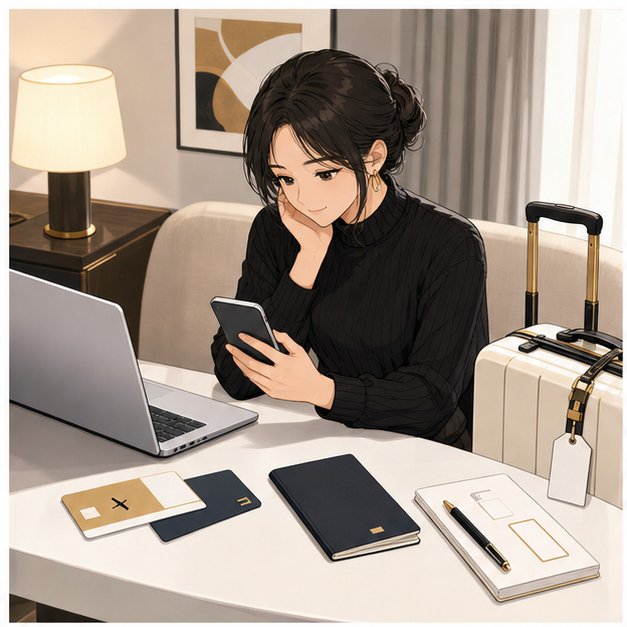
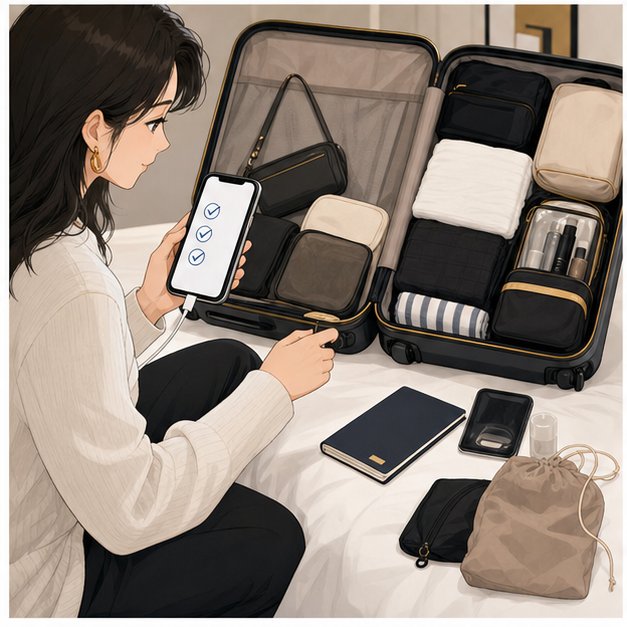
This Visit Japan Web guide for foreigners explains what to prepare before flying to Japan, how the QR-code step fits into airport arrival, and what to keep as a backup if your phone, family group, or customs details create friction. The short version is simple: use the official system if you can, but do not treat it as a visa, entry guarantee, or replacement for your passport, first address, customs declaration, and staff instructions.
Visit Japan Web is Japan's official online service for arrival procedures such as immigration and customs. Before departure, prepare your passport, flight information, first address in Japan, customs details, phone battery, and backup screenshots or notes. At the airport, follow staff instructions and use the displayed QR code where the official procedure asks for it. Keep paper and offline backup ready because systems, phone battery, queues, and customs inspections can still affect your arrival.
- Use the official site: start from Digital Agency or Visit Japan Web, not random copied links.
- Prepare your first address: hotel, dormitory, share house, apartment, or temporary stay details are easy to mistype when tired.
- Do not overtrust screenshots: phone battery, login, network, and interface changes can still cause stress.
- Check visa rules separately: Visit Japan Web does not decide whether you need a visa or can enter Japan.
Information checked: July 28, 2026. Visit Japan Web screens, QR-code handling, immigration/customs operation, airport equipment, and visa rules can change. This article is practical arrival preparation, not legal, immigration, customs, quarantine, or visa advice.
Visit Japan Web guide for foreigners: what to prepare before registration
Quick answer for Visit Japan Web
The Digital Agency describes Visit Japan Web as a service for performing arrival procedures such as immigration and customs online, plus tax-free shopping service. For a traveler, the practical value is preparation: you enter details before landing instead of trying to handle every form after a long flight.
Use it as part of your arrival plan, not as the whole plan. You still need your passport, correct status or visa documents when applicable, first address, customs answers, phone battery, and a route from the airport to where you will sleep.
Who should use it and what it does not replace
Foreign visitors, students, workers, family members, and returning residents may encounter Visit Japan Web as part of Japan arrival. It can reduce form confusion, but it does not replace official immigration screening, customs inspection, visa rules, airline document checks, or airport staff instructions.
MOFA's visa page explains short-term stay and visa-related categories separately. Check your nationality, purpose, and period of stay with official visa information before travel. If you need a visa, Visit Japan Web does not remove that requirement.
Passport, flight, address, and contact information
Before registering, gather the details you would not want to search for at the airport: passport information, flight number, arrival date, first address in Japan, accommodation contact, and phone/email contact details. If you are moving to Japan, your first address may be a hotel, school dormitory, share house, monthly apartment, homestay, or temporary room.
For HarukaBase customers, the first address is also the bridge to practical support. If you need help connecting airport arrival, first-night housing, school, or transport details, organize the address and check-in rule before departure, then review Airport Pickup support.
- Passport: confirm spelling, number, expiration, and passport-cover removal at inspection when requested.
- Flight: airline, flight number, date, arrival airport, and terminal if known.
- First address: Japanese and English address, accommodation name, and contact method.
- Customs details: belongings, unaccompanied baggage, restricted items, and currency if applicable.
- Backup: charger, battery pack, offline screenshots, and a simple paper note with first address.
Family travelers and separate QR-code planning
Families and groups should plan more carefully than solo travelers. Each traveler may need their own correct personal information, and staff may ask to see details separately. Avoid creating one confusing "group plan" that leaves a child, spouse, parent, or friend without the information they need at the counter.
Practical rule: each adult should know where the QR-code screen is, where the first address is saved, and who has the charger. For children or less tech-confident family members, keep a simple offline note with the arrival address and contact person.
Customs declaration basics before you fly
Japan Customs says all passengers entering Japan are required to declare their belongings. Customs also recommends electronic declaration through Visit Japan Web and explains that travelers can hold the 2D code and IC passport over the scanner at an electronic declaration terminal. Customs notes that baggage may still be inspected even when passengers declare electronically.
Do not guess on customs questions. If you have unaccompanied baggage, large amounts of currency, medicine, food, plants, animal products, commercial samples, or tax-free goods from a prior Japan visit, check the official Japan Customs pages before departure.
Visit Japan Web guide for foreigners: using QR codes on arrival
Where the QR code is used at immigration and customs
The Digital Agency's Visit Japan Web guidance describes displaying the QR code from the procedure page for immigration and customs steps. The exact airport flow can vary by airport, equipment, and staff instruction, so follow official signage at Narita, Haneda, Kansai, or your arrival airport.
If you are still choosing the airport or route, these related guides can help: Haneda Airport arrival guide, Narita Airport arrival guide, and Kansai Airport arrival guide.
Offline, battery, paper, and screenshot backup
A perfect online form is not useful if your phone is dead, locked, or out of data. Bring a battery pack, charging cable, and offline notes. Save your first address and flight details somewhere that does not require live mobile data. If you print or screenshot information, remember that official interfaces and accepted screens can change, so use backups as support, not as your only plan.
Phone setup after landing is a separate problem. If you need help deciding eSIM, SIM card, pocket Wi-Fi, or airport Wi-Fi, use the SIM card in Japan guide before travel.
Common errors that slow travelers down
- Using unofficial links: start from Digital Agency or the official Visit Japan Web login.
- Mistyping the first address: save the accommodation name, postal code if available, and full address.
- Forgetting customs details: unaccompanied baggage, restricted goods, and currency questions are not decoration.
- Assuming one phone is enough: group travelers need backup if the main phone dies or separates from the group.
- Treating it as a visa: visa and eligibility rules are separate official checks.
- Ignoring staff instructions: airport operation can differ from screenshots, videos, and old blog posts.
When paper forms or staff help may still be needed
Electronic declaration can be convenient, but paper forms and staff help may still matter when systems are unavailable, your phone fails, the form has an issue, or customs staff need more information. Japan Customs states that paper declaration forms are available on planes, ships, or at Customs. If you are unsure, ask an official airport or Customs officer rather than forcing an answer from a travel forum.
FAQ about Visit Japan Web
Is Visit Japan Web mandatory for foreigners?
Check the official Visit Japan Web and airport instructions before your trip. Even when electronic registration is available, paper or staff-assisted procedures may still be used in some situations. The safe plan is to prepare both the online step and basic paper/offline backup details.
Does Visit Japan Web replace a visa?
No. Visa requirements and landing permission are separate official matters. Use MOFA and Japanese embassy/consulate information for visa rules.
Can I use Visit Japan Web for my family?
Plan each traveler carefully. Do not assume one phone or one screen solves every person's procedure. Keep each traveler's passport, first-address information, and phone backup organized.
Can I screenshot the QR code?
Use the official system as instructed and keep backups for emergencies, but do not rely on a screenshot alone. Interfaces and accepted displays can change, and staff instructions at the airport control the process.
Will Visit Japan Web guarantee faster immigration or customs?
No. It may reduce form confusion, but queues, staff operation, baggage, customs decisions, and airport equipment still affect actual time.
Send your arrival airport, flight time, first address, luggage count, group size, and whether you need airport pickup, housing, school, or first-week support. HarukaBase can help organize the practical arrival plan in English and Japanese without changing official immigration, customs, visa, airline, transport, housing, or school rules.
Visit Japan Web guide for foreigners summary
A reliable Visit Japan Web guide for foreigners is not only about finding the QR code. It is about preparing passport details, flight information, first address, customs answers, phone power, and backup notes before you are tired at the airport. Use the official system, follow staff instructions, and keep your arrival route and first-address plan ready.
After digital entry prep, continue with the first-day checklist, the first-week checklist, or the airport-arrival Japanese phrase tool.
Official sources checked July 28, 2026: Digital Agency Visit Japan Web, Digital Agency Visit Japan Web guide, Visit Japan Web manual, Japan Customs electronic declaration guidance, Japan Customs passenger clearance procedures, MOFA visa information, and MOFA visa exemption information. Public travel discussions were used only to identify recurring worries, not as factual proof.